 |  |  |  |  |
Check Participation Rate
Data only display if both of these criteria are met for any aggregate (e.g., district, county, grade):
- 20%+ participation rate protects student confidentiality
- 20 or more students participating ensures data quality
Find Your Participation
- For district data, click Login (top right) on the KCTC portal. For public data, go to Results. (No login needed for county, Community Mental Health region, or state data.)
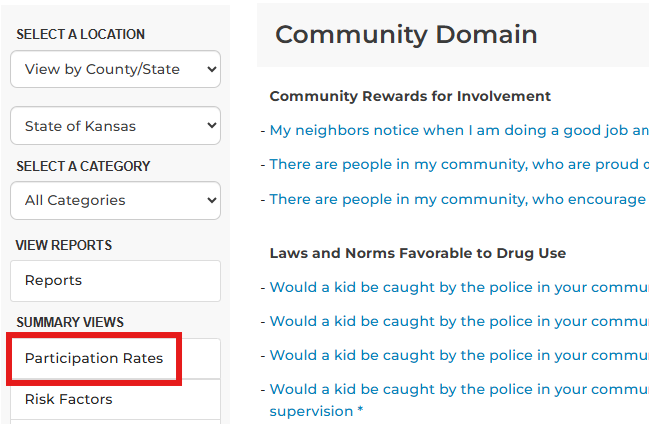
- Click Participation Rates on the left side of the Results page.
- If rate is 20%+, review data.
- Data won’t display if you have fewer than 20 students for an aggregate, even if you meet the 20% threshold. You may need to look at larger aggregates to see data. For example, if you don’t see data at the 6th-grade Level, look at 6th and 8th graders combined.
- Tip: See Navigate Results Home Page for Results page overview.
- Move to STEP 3: Evaluate & Collaborate.
- If participation is <20%, local data won’t display.
- See if data is available at a higher level, like county or community mental health center region.
- Tip: See Guardian Consent Requirements for tips on boosting participation next year.
- If your district doesn’t participate (Participation Rate = 0), talk to your superintendent, principal, school board, or other school leaders. Let them know why survey data is valuable and how you use it.
- If rate is 20%+, review data.